
Features
A complete platform for product content
Explore the ten capability areas that take a product from first draft to every channel, in Arabic and English.
- Capability areas
- 10
- Built-in capabilities
- 51
- Channels and systems to publish to
- 11
- Content languages, with an Arabic and English interface
- 7
How it fits together
One flow from first draft to every channel
Ten capability areas, organized around the journey every product takes.
Model
Define attributes, families, and variants, and organize every image and document.
Enrich
Write Arabic and English content with AI help, and let suppliers fill in their own SKUs.
Govern
Route work through stages and approvals, and stop anything below your quality bar.
Publish
Send approved products to every channel and share them with partners in a branded portal.
Secure and measure
Control who sees what, keep a full audit trail, and track how your catalog improves.
Capability areas
Explore every capability
Pick an area to see what it does and how it looks in the product.
Capability areas
Model any assortment once, in Arabic and English.
Attribute dictionary with rules
Define every attribute once with types, validation rules, and Arabic and English labels.
Families with inheritance
Group products into families that share attributes and requirements, and inherit from parent families.
Variants up to three levels
Manage size, color, and other axes with guided variant setup instead of duplicate products.
Product relationships
Link accessories, alternatives, bundles, and related products to increase average order value.
Brands and multi-brand products
Manage brands in PIM and attach products that are sold under more than one brand.
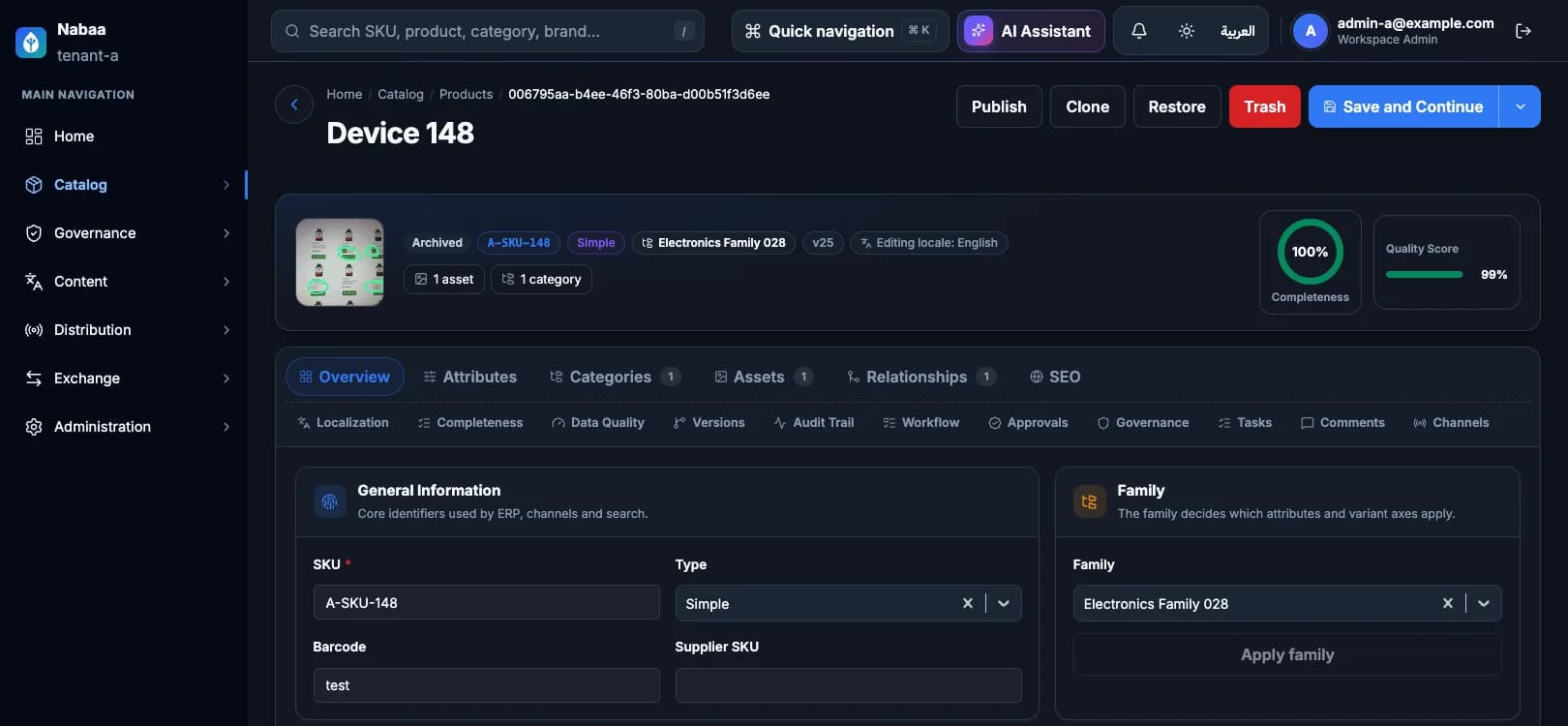
Inside the product editor
Everything about a product, in one editor
Each product opens in one editor with 17 tabs, from attributes and assets to workflow and channels. The highlighted tabs are explained below.
- Overview
- Attributes
- Type config
- Categories
- Assets
- Relationships
- SEO and localization
- Completeness
- Data quality
- Versions
- Audit trail
- Workflow
- Approvals
- Governance
- Tasks
- Comments
- Channels
Product types
7 product types, one catalog
From a single SKU to bundles, kits, digital downloads, and subscriptions. Each type has its own configuration tab, and every type shares the same attributes, assets, and workflow.
- Simple
- Configurable
- Bundle
- Kit
- Virtual
- Downloadable
- Subscription

Simple
One product, one SKU. The everyday item with its own attributes, assets, and categories.
- Its own SKU and attributes
- Can switch to configurable later
Configurable
A parent product that holds variants, such as a shirt in several colors and sizes.
- Variant axes come from single-select attributes on the family
- Generate every combination at once, with duplicates rejected
- Up to three levels: parent, variant, and sub-variant
Bundle
A product built from options the shopper picks, such as a camera with a choice of lens and memory card.
- Radio, checkbox, dropdown, or multi-select options
- Default, minimum, and maximum quantity per selection
- Required or optional options, in the order you set
Kit
A fixed group of products sold together, such as a starter kit or a gift set.
- Pick any products as kit members
- A default quantity for each member
- Mark members as required and set their order
Virtual
Services and non-physical items, such as installation or an extended warranty.
- Free-form service details
- Same attributes, assets, and workflow as any product
Downloadable
Digital products such as manuals, software, or e-books.
- Link a file from your asset library or an external URL
- Download limits and an expiry period for each link
Subscription
Recurring products such as refills, memberships, or service plans.
- Billing by day, week, month, or year, such as every 3 months
- Trial days and plan details
Change type safely
Switch a product between simple and configurable while it has no variants. Each type keeps its settings in the Type config tab.
Families
Families do the modeling for you
A family is a template for one kind of product. Set it up once, and every product in it gets the right attributes, rules, and variant axes.
- Each family has its own attributes and inherits the attributes of its parent families.
- Build a hierarchy that fits your assortment. Loops between families are blocked.
- Declare variant axes such as color and size on the family.
- Changing a parent family asks for confirmation, shows the values that would be orphaned, and is recorded in the audit trail.
- New workspaces start with 8 attribute groups and 13 ready-made attributes.

Family: Headphones
ExampleElectronicsAudioHeadphones
- BrandFrom Electronics
- Warranty periodFrom Electronics
- ConnectivityFrom Audio
- Noise cancellingOwn
- ColorVariant axis
Versions
Every save is a version you can return to
Nabaa PIM keeps a snapshot each time a product is saved, so you can see exactly how it changed and undo a mistake without retyping anything.
- Every save raises the version number and keeps a full snapshot.
- Compare any two versions field by field, per language and per attribute, with old and new values side by side.
- Roll back to an earlier version. The rollback becomes a new version, so nothing is lost.
- Only workspace admins and product managers can roll back.

Version history
Example- v9Sara · 10:42
- v8Omar · Yesterday
- v7Layla · Sep 28
Comparing v8 with v9
- Name (Arabic)
- سماعة لاسلكيةسماعة رأس لاسلكية بعزل الضوضاء
- Description (English)
- Wireless headphones.Wireless headphones with a 30-hour battery.
- Color
- BlackMidnight blue
Audit trail
Know who changed what, and when
Every product has its own audit trail, newest first, with the person, the time, and exactly what changed since the previous version.
- Each entry shows the user, the time, and the field-level changes.
- Creating, editing, cloning, archiving, trashing, and restoring are recorded, along with family, variant, relationship, bulk, and rollback changes.
- When V4TECH support works in your workspace, its entries are clearly marked as support.
- Entries are append-only, so nobody can edit or delete them.
Audit trail
ExampleSara Al-Otaibi edited the product
Today, 10:42Name (Arabic)Description (English)Omar Al-Harbi rolled back to v7
YesterdayLayla Al-Qahtani added variants
Sep 282 new variantsV4TECH support updated SEO
Sep 27SupportSEO titleAhmed Al-Shehri created the product
Sep 20
Append-only: entries can't be edited or deleted.
Comments
Discuss the product where the work happens
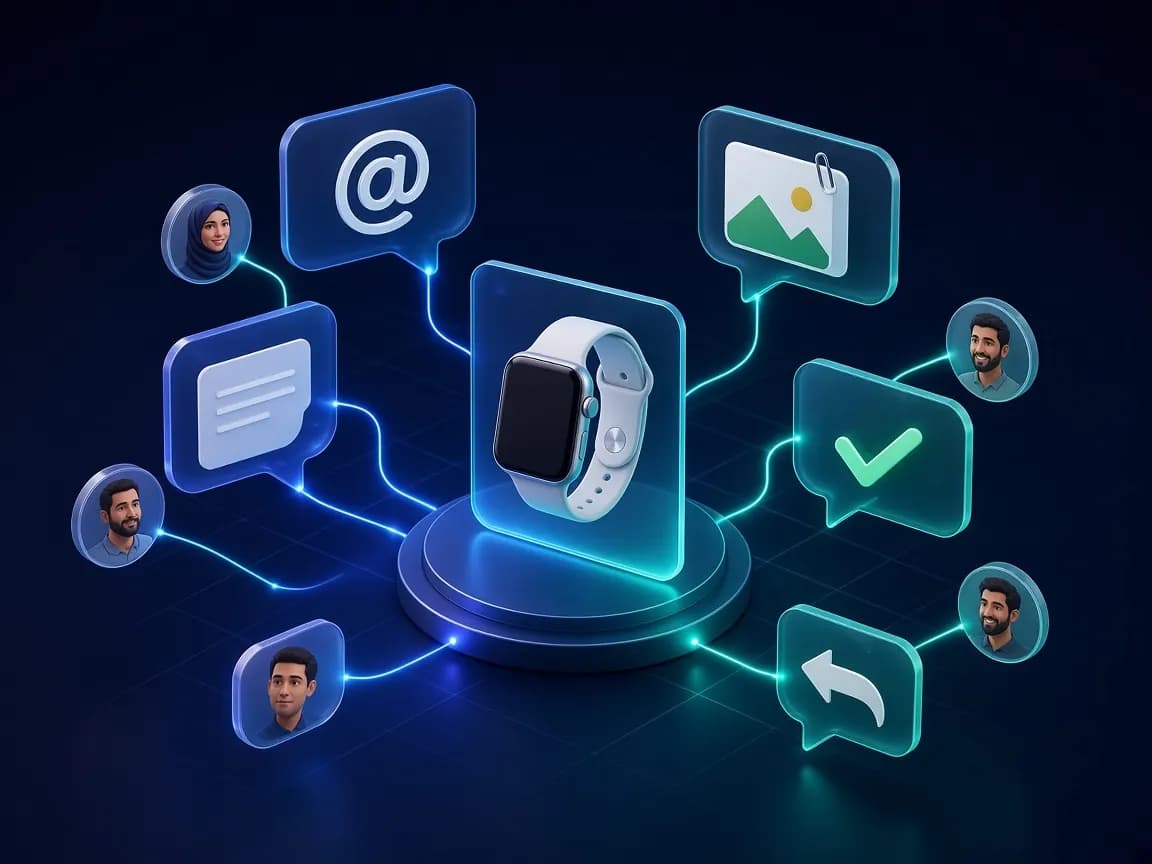
Every product has its own comment thread, so questions, decisions, and files stay with the product instead of getting lost in email.
- @mention teammates and they get a notification.
- Attach up to 20 images or files from your asset library.
- Resolve a thread when it is done, and reopen it if the issue comes back.
- One level of replies keeps every conversation easy to follow.
- Comments can't be deleted, so the discussion history stays intact.
Comments
ExampleLayla Al-Qahtani2 hours ago
@Omar the Arabic description is missing the warranty period. I've attached the warranty card.
warranty-card.jpgDAMOmar Al-Harbi1 hour ago
Added it. Ready for review.
Everyday safeguards, built in
Clone with control
Copy a product and choose whether to bring its attributes, categories, relationships, and family.
Archive, trash, and restore
Take products out of use without losing them. A restored product returns to Draft so it is reviewed again.
No silent overwrites
If two people save the same product at once, the second save stops with a clear conflict message instead of overwriting the first.
See it with your own catalog
Start a free trial or book a guided demo with our team.
Connects to the channels and systems you sell through
- E-commerce websiteStorefront
- ShopifyStorefront
- AmazonMarketplace
- NoonMarketplace
- Google Merchant CenterShopping listings
- MetaSocial commerce
- SAPERP
- OdooERP
- Microsoft Dynamics 365ERP
- SFTPScheduled feeds
- REST APIAPI and webhooks
Don't see your system? Connect it with the REST API and webhooks.
Bring every product into one trusted source
Start a free trial, and our team will help you model your first families and publish to your first channel.